YuJa Verity extension download tutorial

Summary

This article includes the tutorial on how to add the YuJa Verity extension to a personal device.

Body

Downloading the Extension 

1. Launch the Chrome Browser and go to the Chrome Web Store.

2. In the search bar, enter YuJa Verity Chrome Extension to search for the extension. Select the YuJa Verity Chrome Extension.
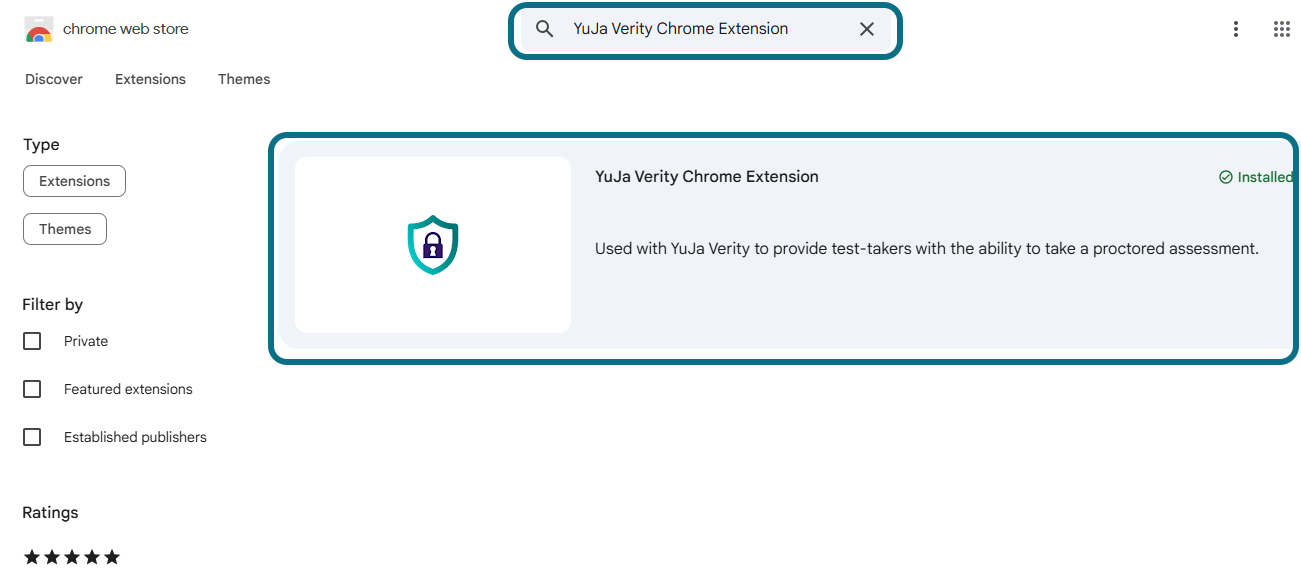
Searching YuJa Verity Chrome Extension in the search bar of the Chrome Web Store.

3. Click the Add to Chrome button to add it to your browser.
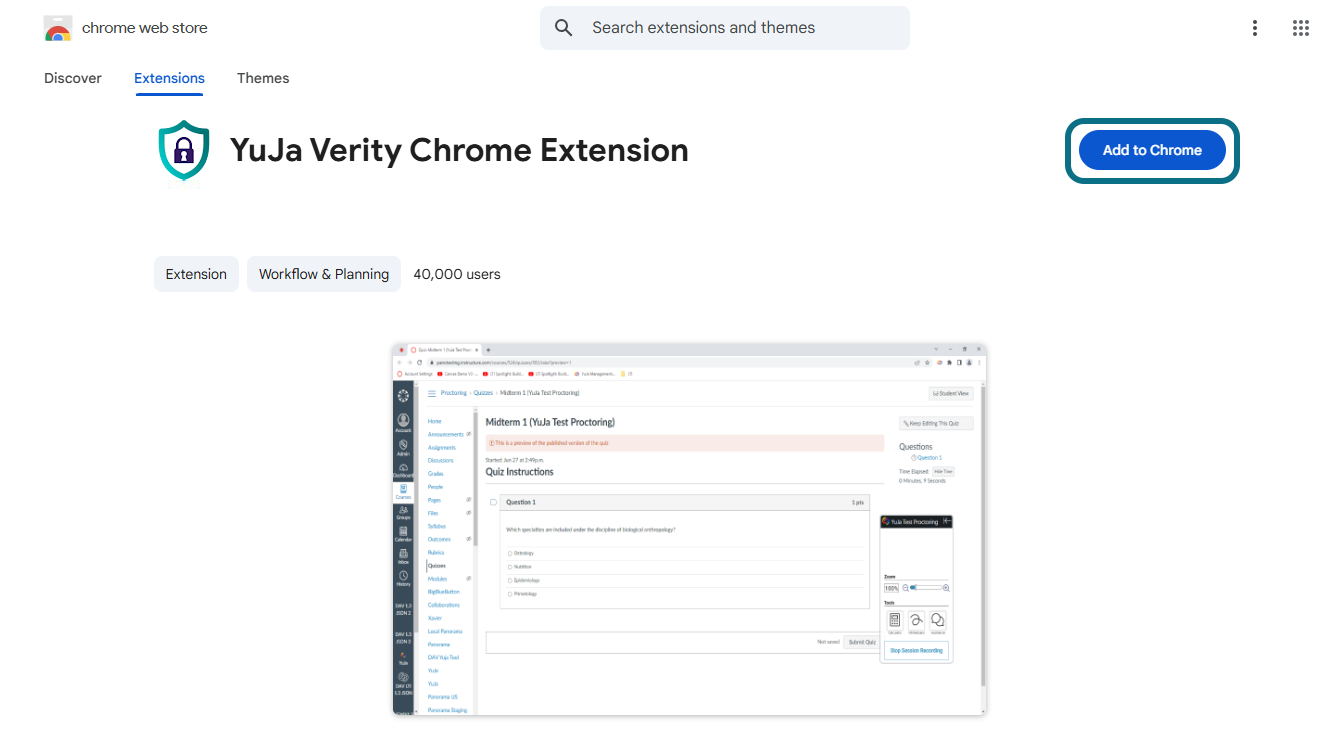
YuJa Verity Chrome Extension in the Chrome Web Store.

4. Click Add extension to download the Verity Browser Extension. Once added, the extension will automatically be enabled.
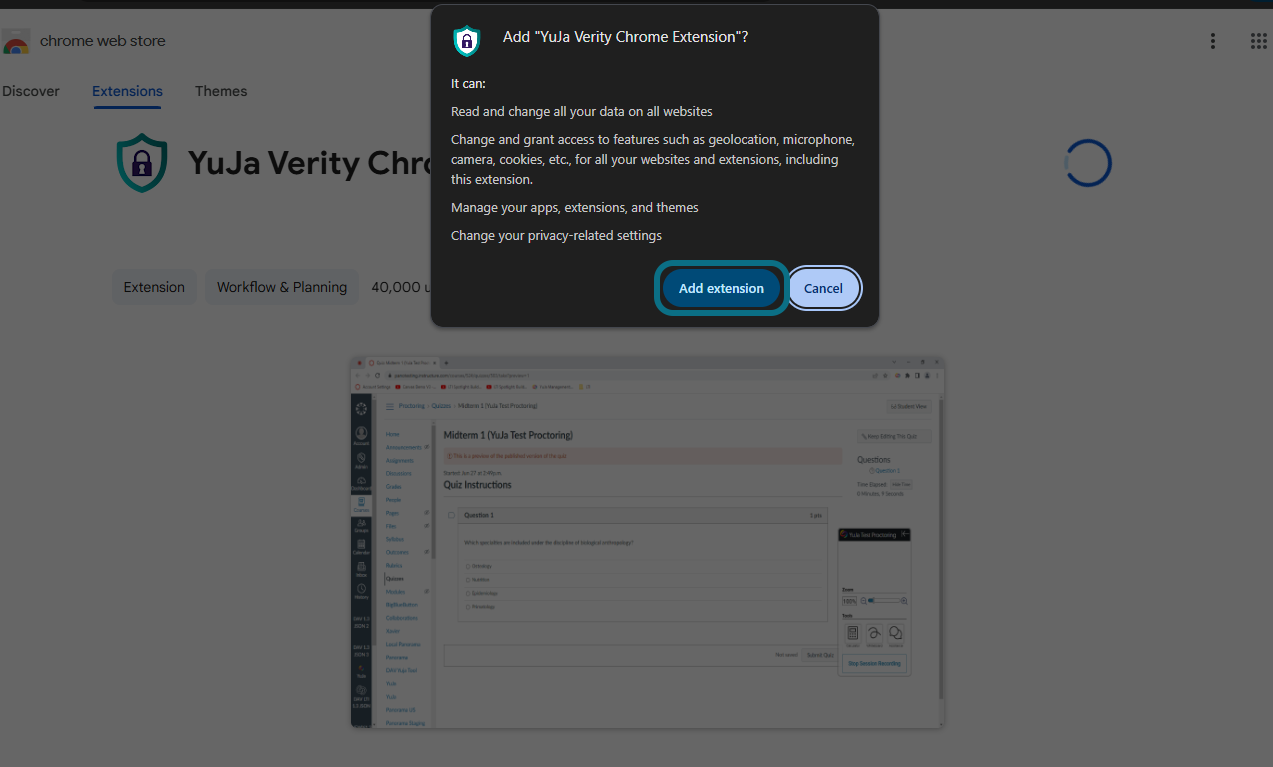
Adding Verity Chrome Extension.


Details

Details

Article ID: 169900
Created
Fri 12/12/25 2:54 PM
Modified
Fri 12/12/25 3:10 PM